Register your runtime
Tenant admins register a Flink cluster against an instance once. KSML runs on the Kubernetes cluster Axual already manages.
Run Flink SQL and KSML jobs as managed applications on Axual. Your teams build with self-service, and every job keeps the same ownership, access rules and audit trail as your topics.








Write Flink SQL or define KSML pipelines in YAML. Both run as managed applications next to your connectors, with no separate stream processing stack to buy or operate.
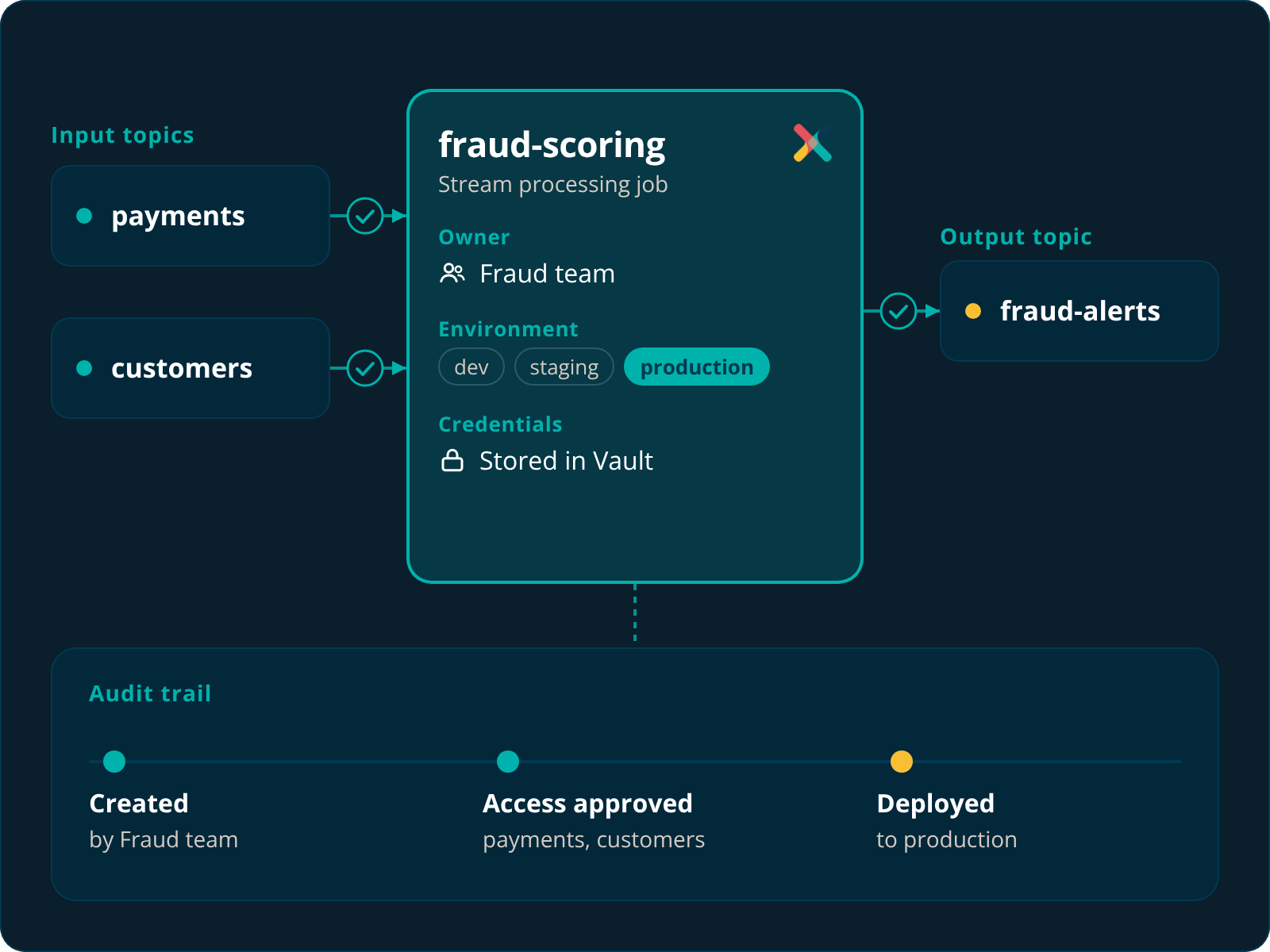
Processing jobs read and write topics through the same access rules as every other application. Owners, environments and approvals stay in force.
Deploy, start, stop and reset jobs from one application card. Live status, CPU and memory usage, and logs are all in the same place.
Some teams think in SQL. Others want Kafka Streams without writing Java. Axual runs both, with the same lifecycle, monitoring and governance.
For teams that know SQL or already run Apache Flink.
Tenant admins register a Flink cluster against an instance once. KSML runs on the Kubernetes cluster Axual already manages.
Write Flink SQL with tables generated from your topics, or define a KSML pipeline in YAML.
Validate, pick a deployment size and deploy. Access to every topic the job touches goes through the usual approvals.
Track live status, CPU and memory from the application card. Start, stop, resume or reset the job, and read its logs in the same place.
Stream processing is where data gets combined, enriched and sent somewhere new. That makes it the riskiest place to lose track of ownership. On Axual, a processing job is an application like any other. It has an owner, it needs approved access to every topic it reads and writes, and every change lands in the audit trail.
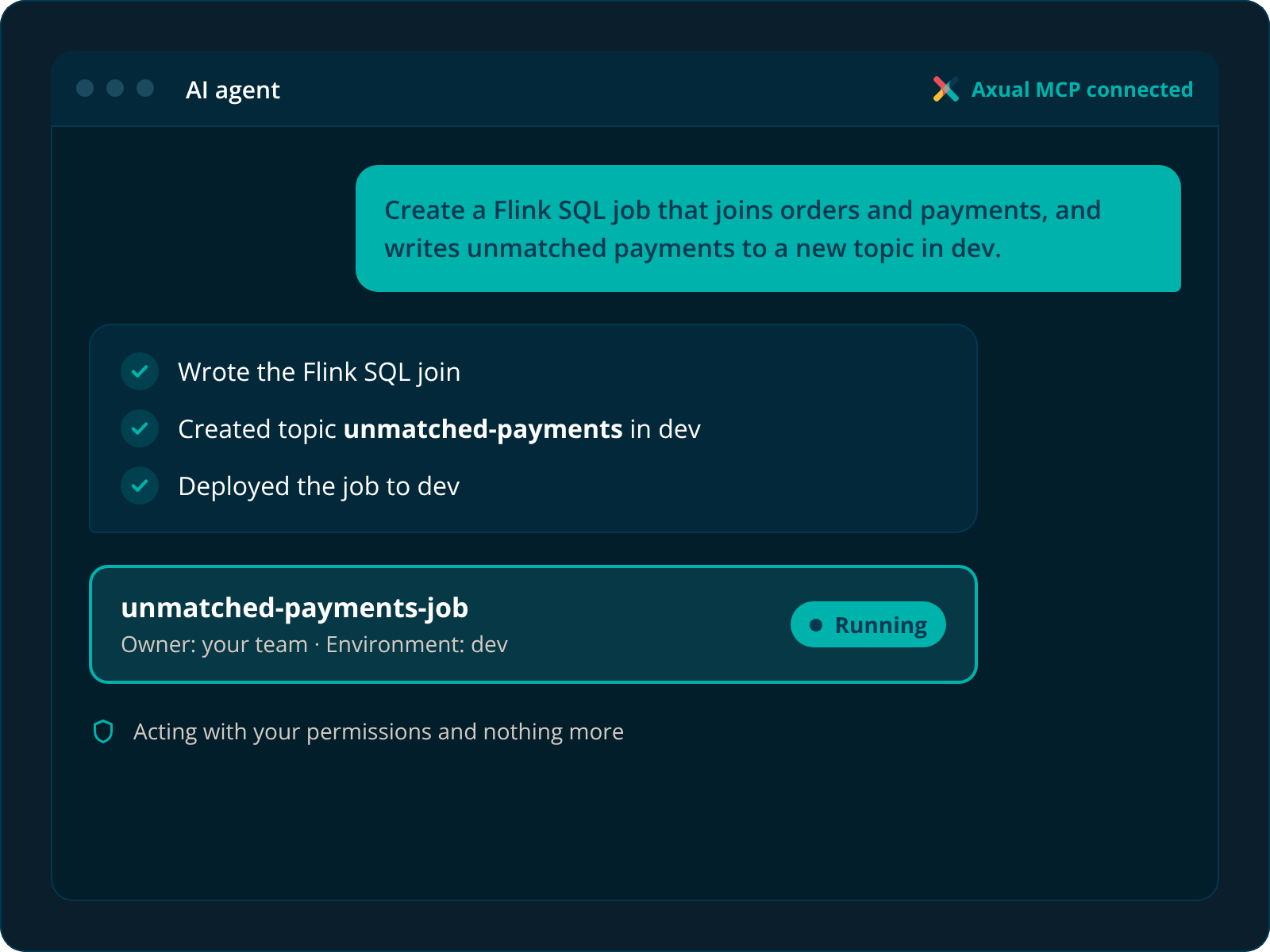
Every path goes through the same governed API, so it doesn’t matter how a job gets deployed.
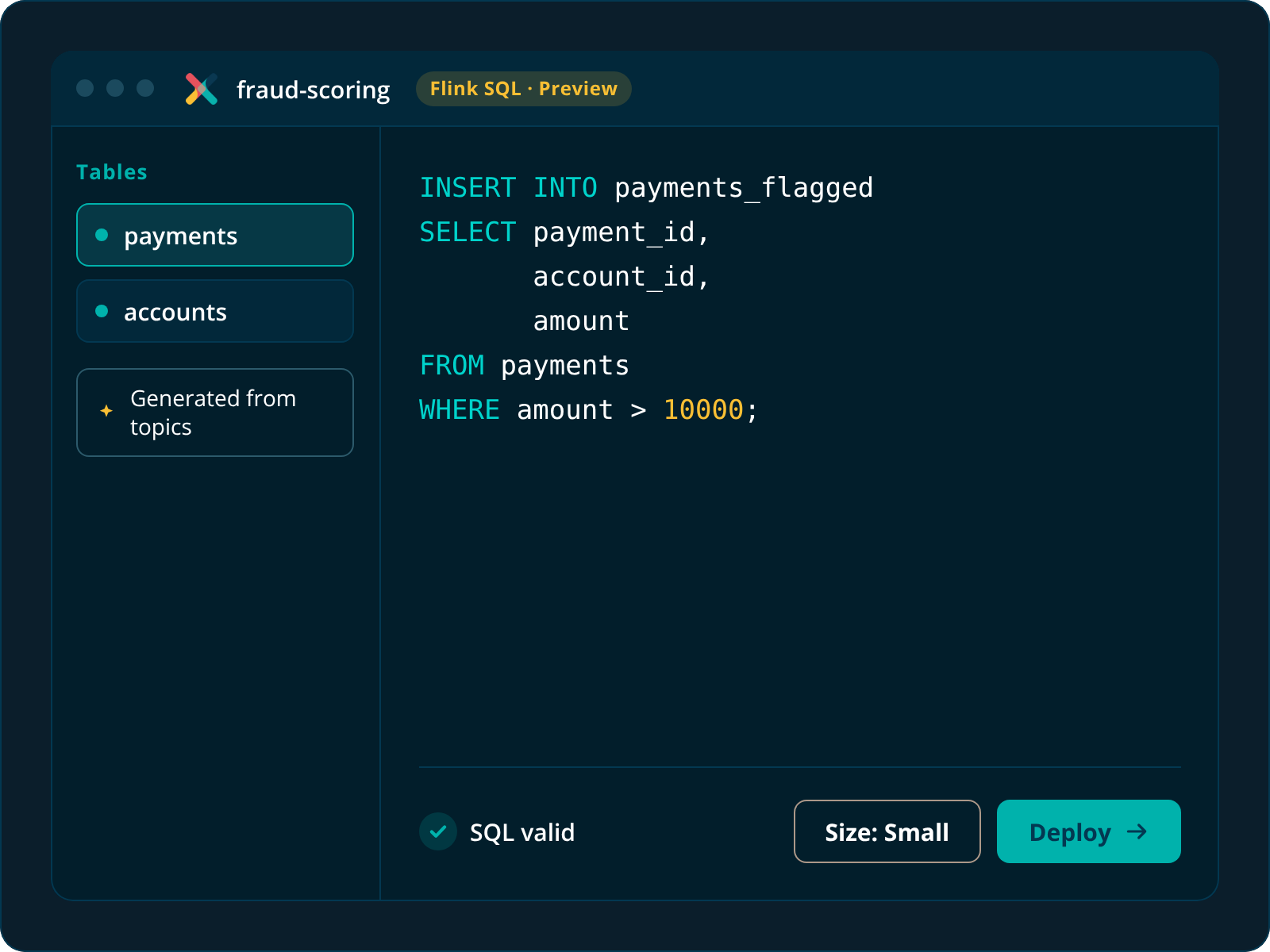
Write, validate and deploy from the browser. Auto-generate tables from your topics with one click.
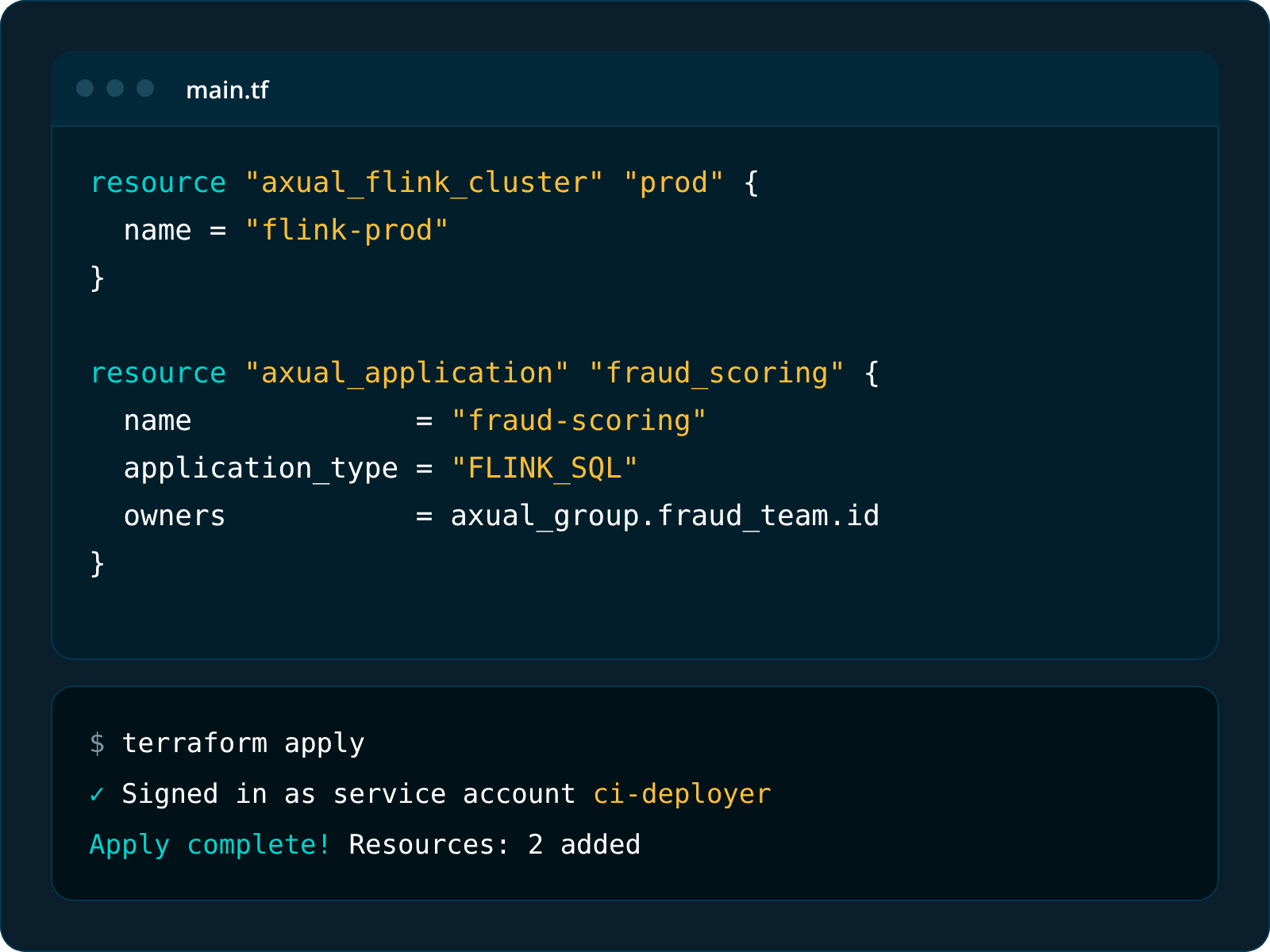
Register Flink clusters with axual_flink_cluster and deploy FLINK_SQL applications alongside the rest of your infrastructure. Sign in with a service account, not a personal login.
Run stream processing on-premises on Kubernetes or OpenShift, or managed on Axual Cloud in an EU sovereign cloud. Your data stays where your compliance rules say it should.
Yes. Since release 2026.3, you can run Flink SQL applications directly on Axual. You write the SQL, and Axual deploys it as a managed job on a Flink cluster your tenant has registered. Flink SQL is in preview, with production readiness planned for an upcoming release.
Yes, for now. Tenant admins register an existing Flink cluster against an instance, and Axual deploys jobs to it.
Use Flink SQL if your team knows SQL or already runs Flink. Use KSML if you want Kafka Streams pipelines in YAML and Python, without running extra infrastructure. Both are managed and governed the same way.
No. Axual generates them from your connected topics. You can still write them yourself if you prefer.
Like any other application on Axual. It has an owner, needs approved access to the topics it uses, and every action is logged.