Release Blog 2026.1 - The Spring Release
The Axual 2026.1 release builds on the improvements in governance, observability, and self-service introduced in 2025.4, and takes things a step further. This release adds audit event coverage across platform resources, giving teams more visibility and control over what’s happening in the platform. We’ve also extended OAuth support to all data plane components, making security more consistent end to end. On top of that, updates to Connector management and the Overview Graph make the platform easier to use and give clearer insight into platform activity.
On this page
Release Blog 2026.1 – The Spring Release
Building on the governance, observability, and self-service improvements introduced in 2025.4, Axual 2026.1 release continues to expand platform capabilities. This release introduces audit event coverage across platform resources and extends OAuth support to all data plane components, alongside improvements to Connector management and the Overview Graph visualisation, improving usability and providing clearer insight into platform activity.
What we improved:
Audit Events now fully implemented
Improved Overview Graph visualisation
Reset ConsumerGroup offset to a user-selectable timestamp
KSML enhancements
Certificate handling improvements
Connector UX refreshed
OAuth support for all clients
Tenant Admin Insights
MCP Server improvements
Many, many bug fixes
Documentation updates
Audit Events now fully implemented
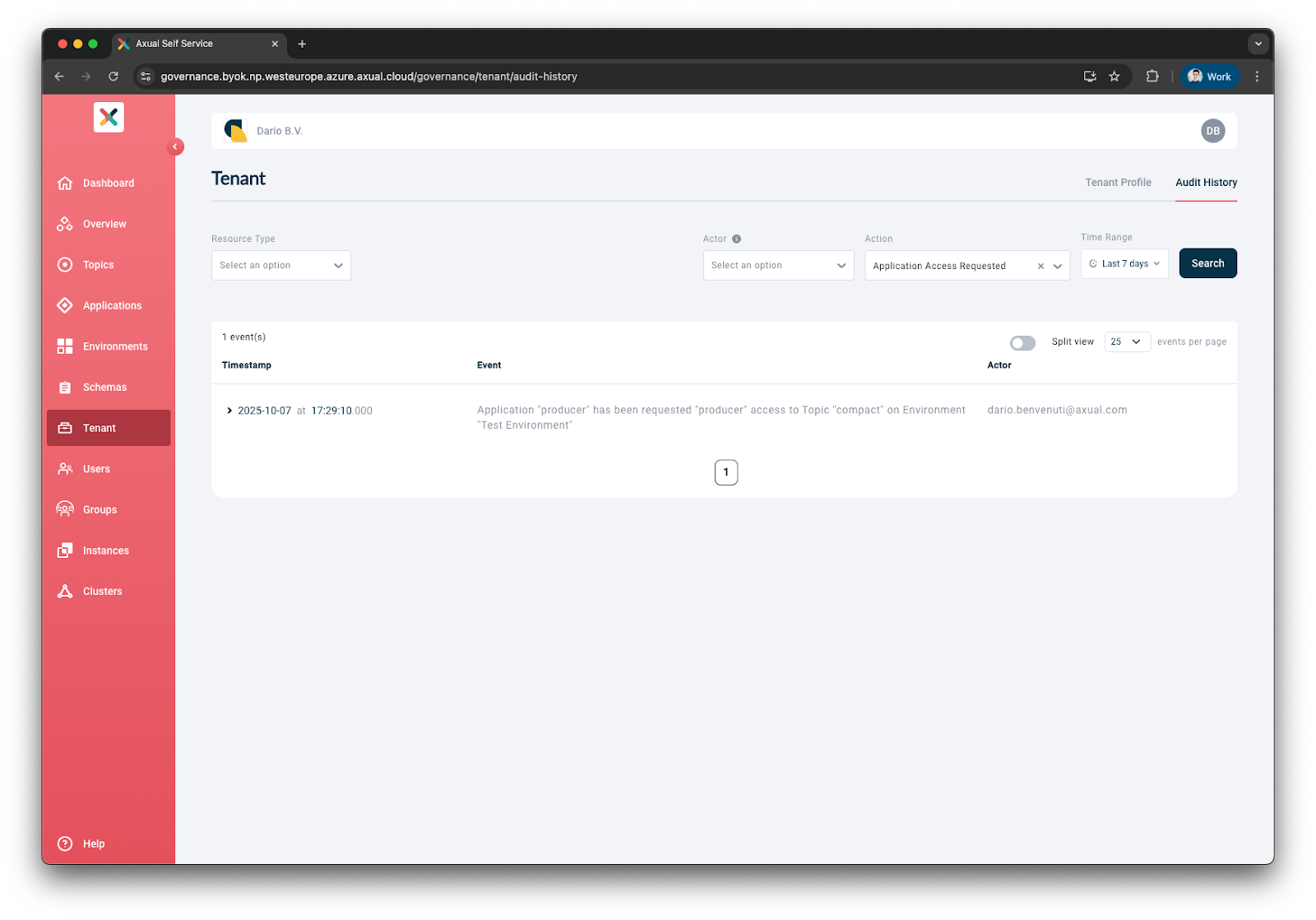
We have completed the implementation of audit events, delivering comprehensive auditing across all key business entities. This includes full visibility into topic configuration changes; tenant and user lifecycle events (creation, updates, and deletions); instance and environment synchronization; as well as topic and schema masking. Tenant Admins can now access the complete audit history directly within the tenants section of the interface. While export functionality has been deferred to Q2, the primary objective of ensuring all relevant platform events are audited has been successfully achieved.
With the new improvement, teams can:
- Track all changes across platform resources (Applications, Topics, Environments, Schemas, etc.) with detailed audit trails
- See who did what for complete visibility and accountability
- Filter by resource type, actor, action, and multiple criteria simultaneously
- Audit deleted resources by accessing their full history
- Trace back changes during incidents to understand what happened
- Improve troubleshooting efficiency and enforce governance policies
- Maintain security accountability for compliance requirements
Audit Events now fully implemented — all changes across platform resources are now audited and viewable by the Tenant Admin. Read more here.
Improved Overview Graph visualisation
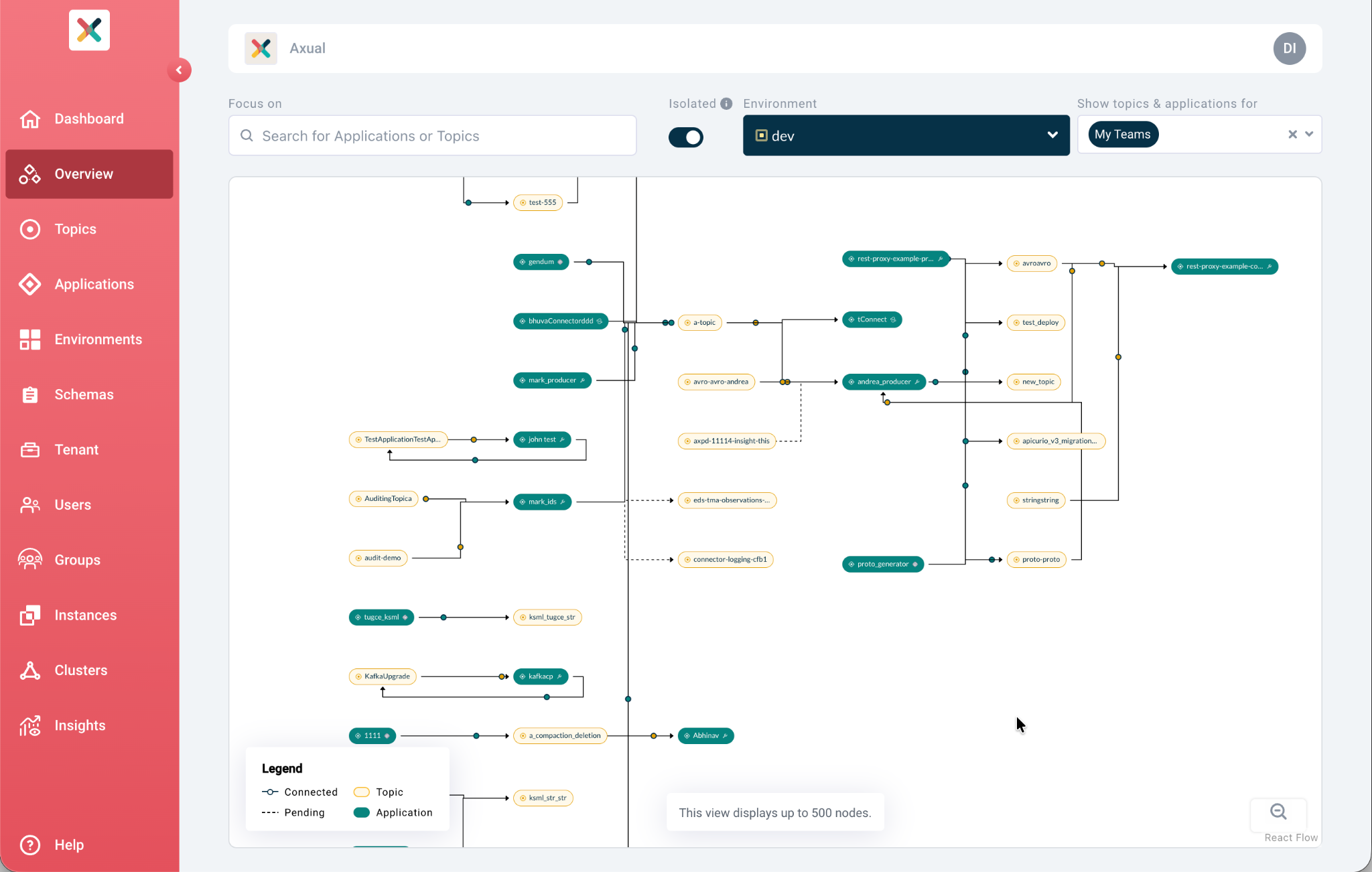
We have improved the Overview Graph visualisation with a revamp of edge visualisation, restyled node cards, the introduction of legend components, and additional fixes and styling.
These improvements make it easier to view and understand application setups directly within the topic graph visualisation, including flows where messages are produced, browsed, and filtered into new topics.
With the new improvement, teams can:
- Restyled edges and node cards make data pipeline relationships easier to understand at a glance
- Legend component helps users quicly understand graph elements
- Better visualize the streaming data pipelines and data flow
- Get a clearer insights into system connections and data architecture
Reset ConsumerGroup offset to a user-selectable timestamp
We have introduced the ability to reset ConsumerGroup offsets to a user-selectable timestamp, giving application owners more control over where message consumption begins. In addition to resetting offsets to the latest or earliest position, users can now reset to a specific point in time, enabling more precise control for scenarios such as reprocessing data or skipping ahead in a topic. This functionality is available to application owners under specific conditions and can be managed directly within the interface.
With the new improvement, teams can:
- Reset consumer offsets to specific points in time, not just earliest/latest positions
- Enable precise data reprocessing and faster recovery from issues
- Jump directly to specific timestamps rather than reprocessing everything
- Replay data from specific time periods for testing or debugging
- Work across all instance clusters with clear consumer lag monitoring
Use cases:
- Reset to latest: start consuming only new messages (lag = 0)
- Reset to earliest: reprocess all historical data
- Reset to timestamp: replay data from specific incident time
Application owners can now reset consumer offsets to a specific point in time. Read more here.
KSML enhancements
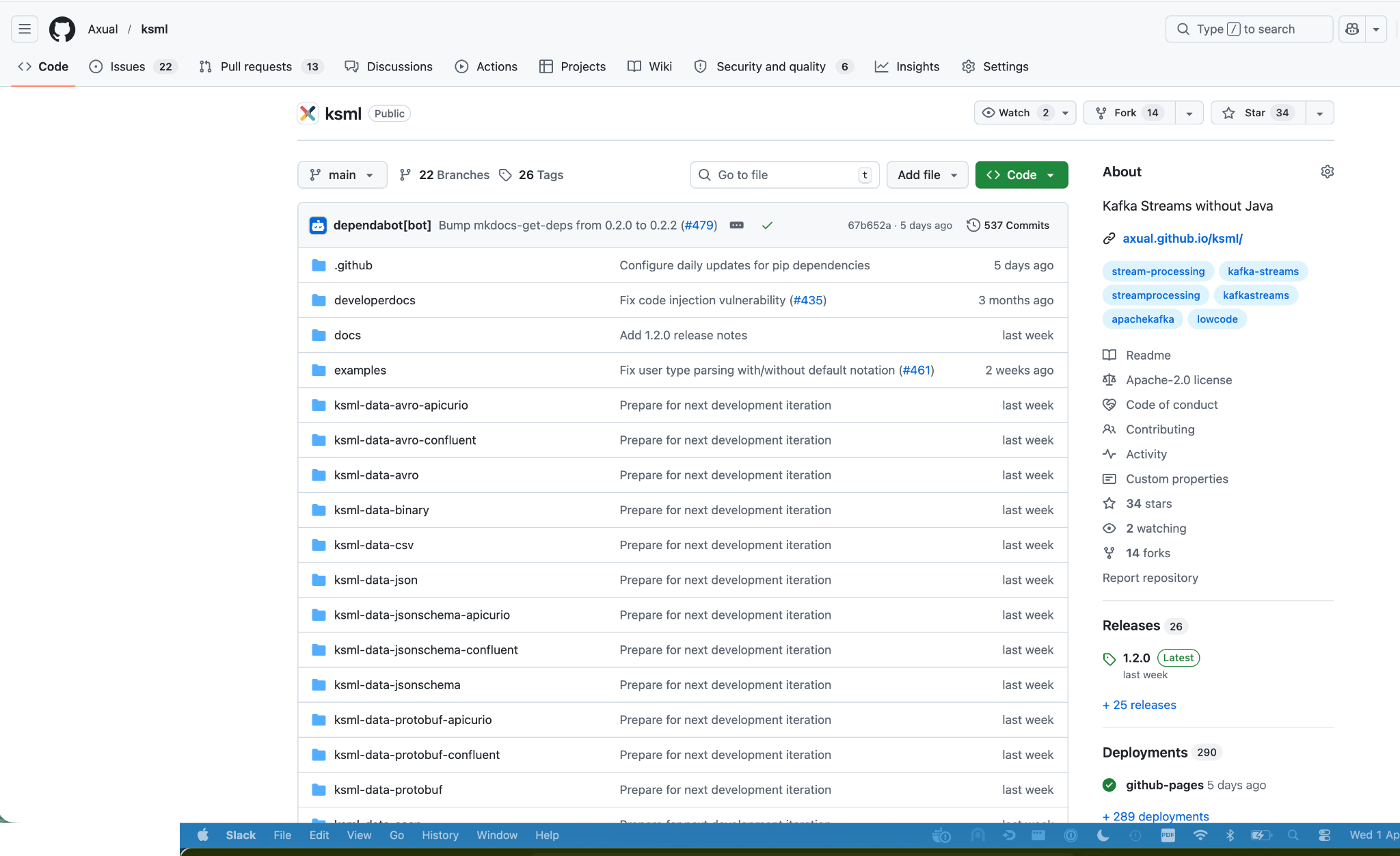
We have released KSML 1.2.0, introducing strict security measures to prevent exploits from Python code using Java objects, along with support for importing custom Python files as libraries (not yet supported in self-service). This release also includes a JSON Schema for ksml-runner.yaml, updates to the latest Red Hat UBI base image and dependencies, redesigned interfaces for Kafka Streams state stores called from Python functions, and the deprecation of @type and @schema fields in Python dictionaries. Several bug fixes have been implemented, including corrections to user type notation parsing and equality handling in DataStructs.
KSML enhancements in self-service
In self-service, improvements include resolving incorrect “Infinite%” metrics, preventing PV resizing for existing KSML deployments, restricting reset actions on running KSML applications, and ensuring deployment scraped status is not persisted, alongside an improved log viewer.
With the new improvement, teams get:
- Security: Strict measures prevent exploits from Python code using Java objects
- Protection: Against exploits caused by Python code interacting with Java objects.
- Flexibility: Support for importing custom Python files/libraries
- Validation: JSON Schema for ksml-runner.yaml provides better IDE support
Operational improvements:
- PV resizing for existing deployments without downtime
- Prevention of resetting running applications (avoid accidental data loss)
- Fixed "Infinite%" metrics display
- Improved log viewer for better application monitoring
- Updated base image with latest security patches and performance improvements
Certificate handling improvements
We have improved certificate handling by introducing visibility into cluster communication certificate expiry and enabling notifications ahead of expiration. Users can now view the expiry date of cluster certificates and receive email notifications when a certificate is nearing expiration. In addition, the user experience for configuring connectors has been enhanced in the UI, while the underlying Kafka Connect component remains unchanged.
With the new improvement, teams can:
- Get certificate expiry visible in UI with proactive notifications before expiration
- Receive dvance warnings help plan and execute renewals
- Avoid certificate-related outages and service disruptions
- Reduce downtime risk significantly
- Schedule maintenance windows appropriately for better operational planning
- Prevent costly surprises from unexpected certificate expirations
Connector UX improvements
The user experience (UX) for configuring connectors has been significantly enhanced in the UI, while the underlying Kafka Connect component has not been changed.
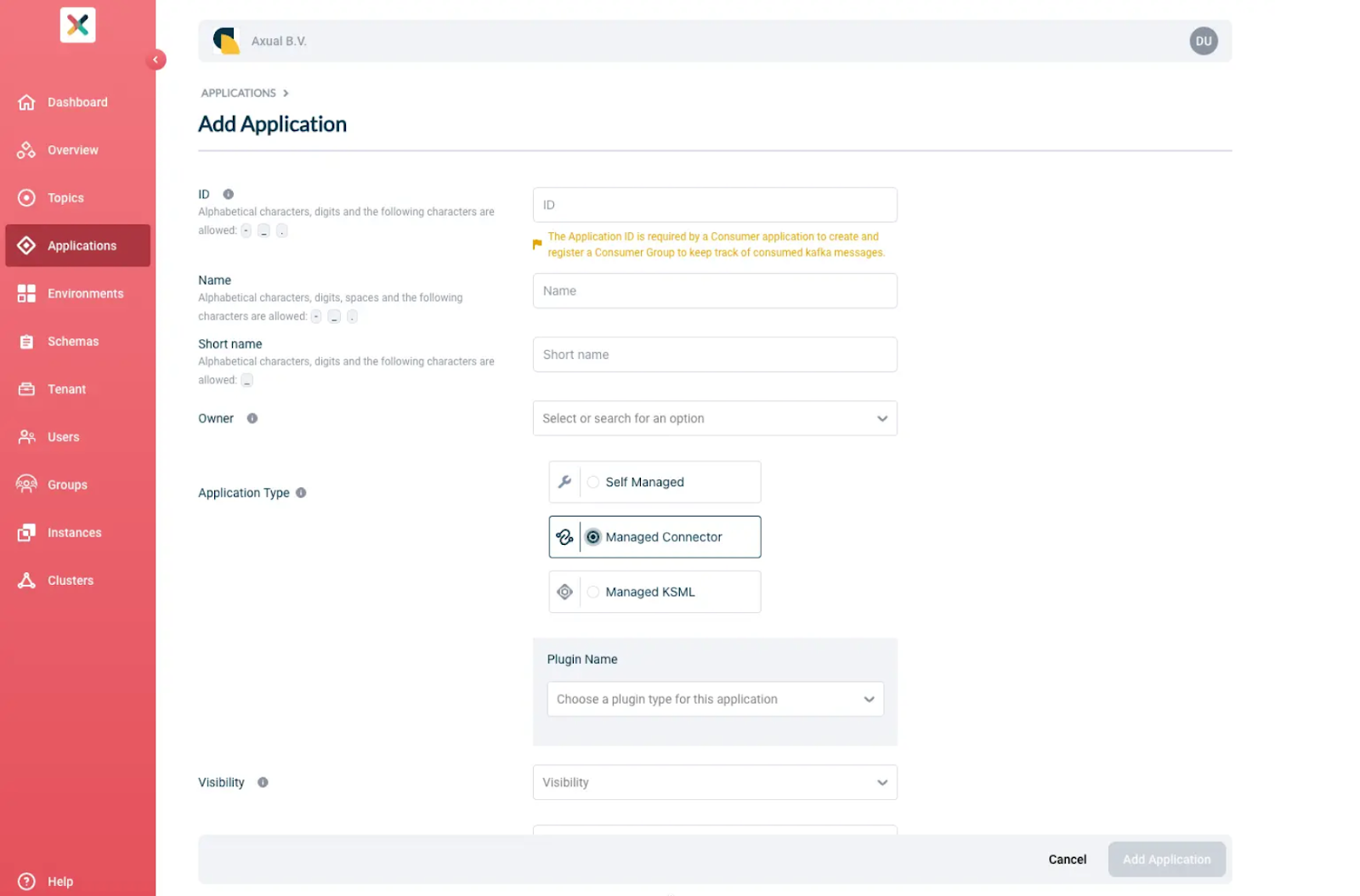
Improvements include the implementation of a JSON view with import capabilities, storing and returning the DisplayName for Connector configurations, the ability to reset each property to its default value, and support for adding and deleting fields within configurations. Auditing has also been added for Topic Masking Configured, Schema Masking Configured, Instance Synchronise, and Environment Synchronise in the database.
Bug fixes include handling multiple authentications for Connector applications and resolving an issue where the connector stop action did not work when no task had been launched.
Connector management in Self-Service redesigned
Including support for multiple certificate and private key pairs without requiring a restart of the running Connector.
With the new improvement, teams can:
- Redesigne connector management experience with easier configuration
- Manage multiple certificate/private key pairs per application
- Switch active certificates without stopping running Connectors (zero-downtime rotation)
Improved configuration management include:
- Form view with grouped sections and search functionality
- JSON view for advanced users
- Clear validation with clickable error links to problematic fields
- Section badges showing issue counts
- No service interruption during credential rotation
- Reduced configuration errors and faster connector deployment
Read more here.
Extended OAuth support for client connections
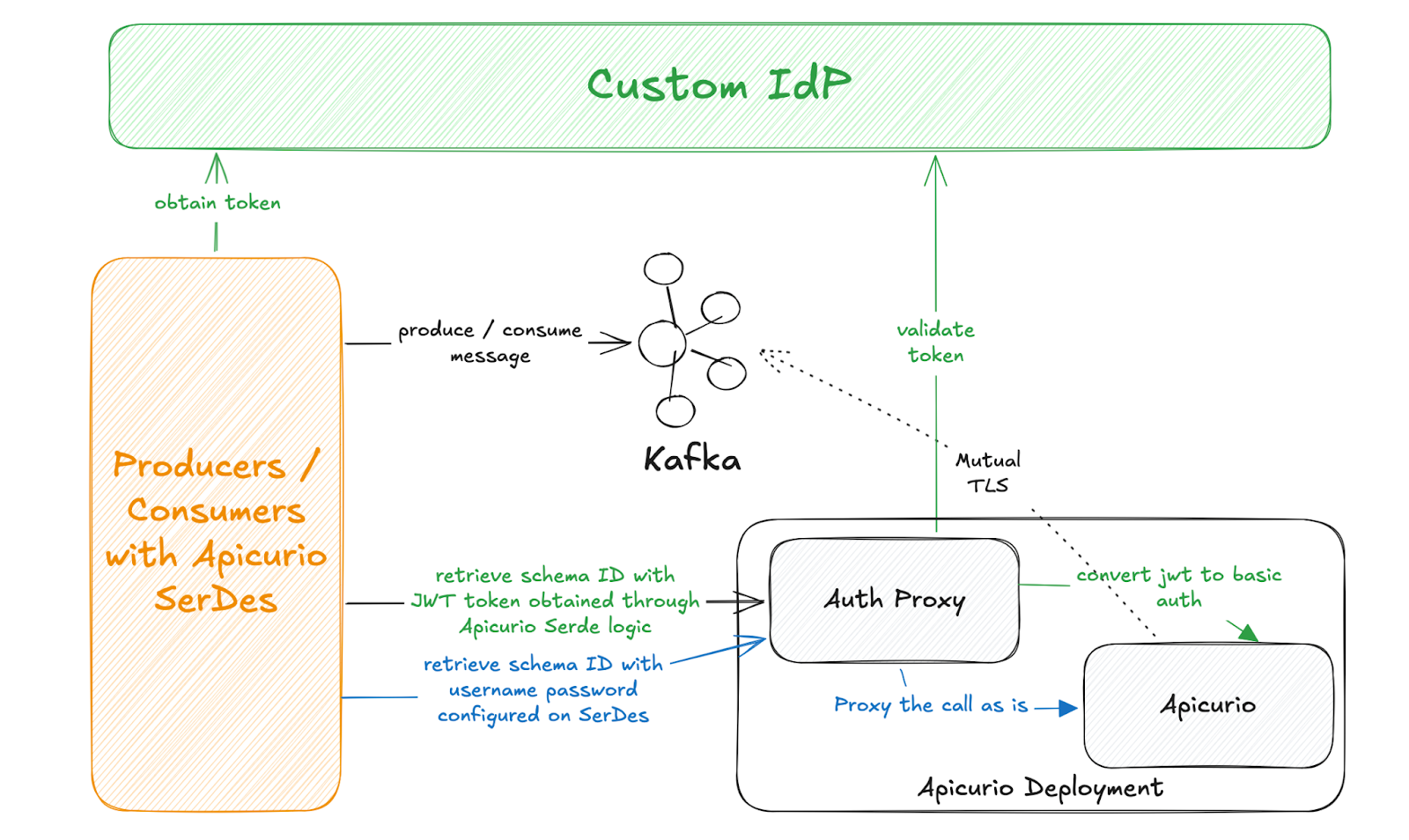
OAuth support has been extended to client application connections across all data plane components. Kafka and REST Proxy already supported OAuth, and with the addition of OAuth support for Apicurio, full coverage has now been achieved.
As Apicurio Registry does not support multiple authentication methods simultaneously, this has been implemented using an Auth Proxy sidecar. The Auth Proxy sits in front of Apicurio and handles both JWT validation (OAuth) and Basic Authentication, routing all traffic including client connections and platform calls through the proxy. This enables support for both authentication methods while maintaining compatibility with existing configurations.
With the new improvement, teams can:
- Complete OAuth coverage across all data plane components
- Auth Proxy sidecar supports both Basic Auth and OAuth simultaneously
- Gradual transition from Basic Auth to OAuth without disrupting applications
- New sr-readonly role for authenticated read access (more secure than anonymous)
- Disable anonymous read access for tighter production security
- Modern, robust authentication compared to Basic Auth alone
Apicurio (Schema Registry) now supports OAuth, completing OAuth support across all data plane components. Read more here.
Tenant Admin insights
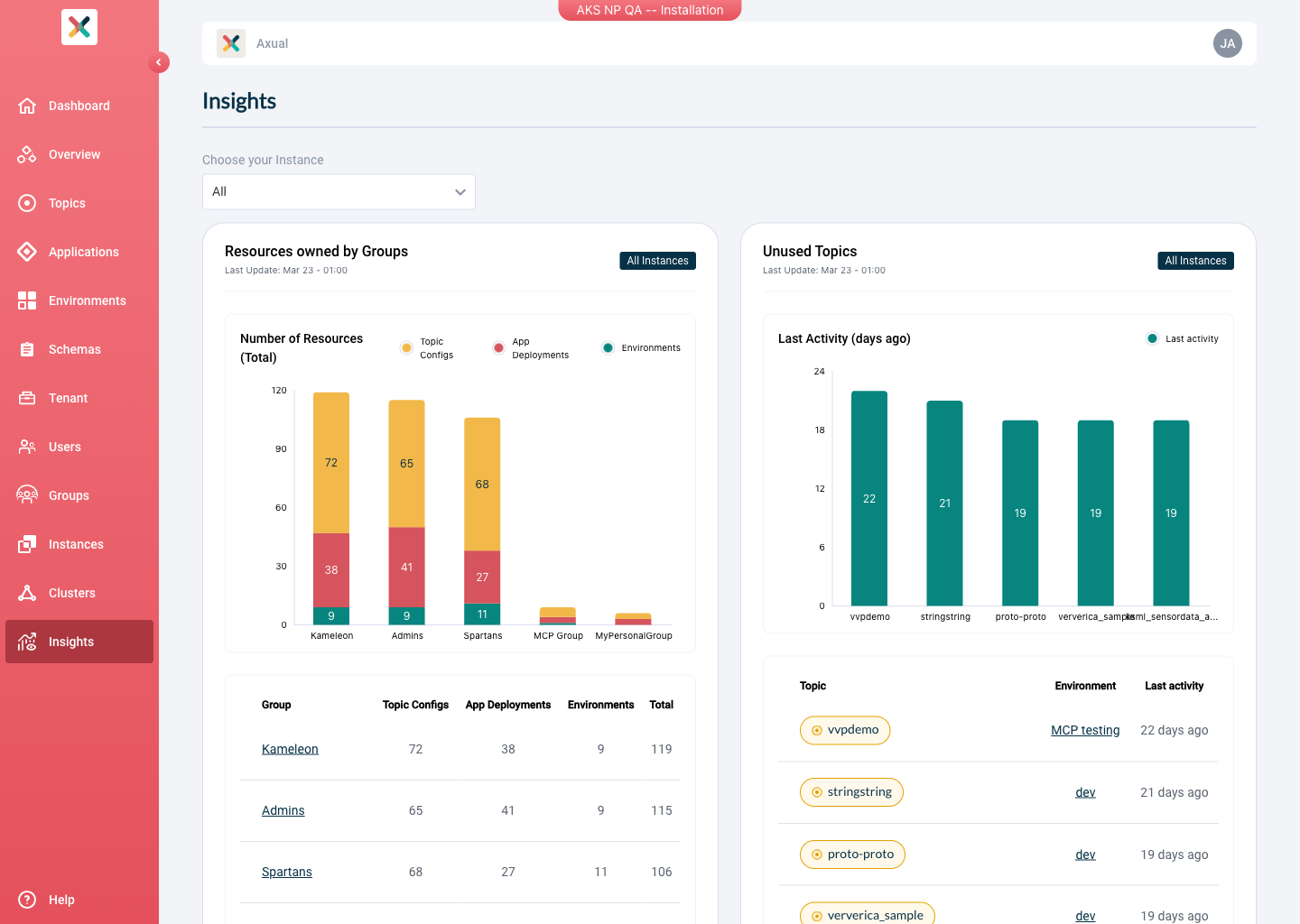
The Tenant Admin Insights feature provides Tenant Admins with an overview of how resources are distributed and used across instances within their tenant. It displays key metrics through charts, helping identify trends, spot unused resources, and understand traffic patterns.
Three out of nine compiled Tenant Admin insights have been implemented and are initially available only to Tenant Admins:
- Resources owned by a group — displays a top five list of groups based on total resources owned
- Topics with high volume — shows topics with the highest number of messages produced and is refreshed daily
- Unused topics — lists topics that have not been produced to for a defined number of days
With the new improvement, teams can:
- Identify unused resources for cleanup (reduce costs and clutter)
- Plan capacity by spotting high-volume topics
- Get a deeper understanding of organizational structure and resource ownership
Read more here.
MCP Server improvements
The MCP Server has been enhanced with new capabilities and improvements across schema handling, search functionality, and OAuth support. New tools have been introduced, including (search_kafka_topics, search_kafka_topic_deployments, search_schemas, create_schema), schema version details in stream deployments, pagination support for search methods, and full feature support when authenticating via OAuth. Read more here.
Search functionality has been improved with pagination support, enhanced topic and stream data retrieval, and improved handling of ownership information. Schema version details are now included in stream deployments and configurations, and the OAuth client now has full feature parity with the Axual client, supported by comprehensive test coverage. Additional updates include dependency upgrades, removal of unused components, and improvements to the KSML data generator with schema-based examples.
The MCP acts as a middle layer between the LLM and the API, enabling automated workflows such as schema generation, topic creation with defined parameters, and message production. When certain inputs are not specified, values may be inferred, which can introduce non-deterministic behavior.
With the new improvement, teams can:
- Discover and manage Axual resources through natural language with Claude AI
- View schema version details in stream deployments for complete context
- Use pagination for efficient resource discovery in large environments
- Leverage full feature support with OAuth authentication
Examples of natural language operations:
- "Create a topic called 'orders' with 3 partitions"
- "Show me all topics owned by my team"
- "Produce 100 test messages with customer data"
- "Where is the 'customer-events' topic deployed?"
- Lower learning curve for new team members
- Accelerate onboarding and reduce operational burden
Read more here.
Many bug fixes
This release includes a wide range of bug fixes and stability improvements across the platform.
- Application UUID is now shown in the Overview
- Regular users can now change their email address
- Fixed an NPE when updating topic configuration with a Binary key type and Avro value schema
- Fixed incorrect topic name resolution for AsyncAPI
- MyGroups are now properly loaded when opening the UI
- Fixed issues in Instance-Cluster creation
- The cancel button is no longer displayed while the SSL certificate is not uploaded
- Forms now validate non-cloud-hosted URLs
- Fixed missing or misleading field validations in the UI
- Fixed CTRL + Click not working on the environment badge
- Error toasts no longer require manual closing in all cases
- Fixed an issue where non-existing pages would load indefinitely instead of showing an error page
- Added a loading spinner for topic data retrieval in the Topic Detail page
- The approve button is now hidden when viewing an approved app-access-grant
- Fixed an issue where uneditable properties disappeared while updating a TopicConfig
- Fixed an issue where Resource Managers were not removed when “Update and Deploy Owned Resources” was set to All Group Members
- Fixed topic browse deserialization failure with Apicurio anonymous.read.enabled
- Fixed Apicurio UI ingress iss
Documentation updates
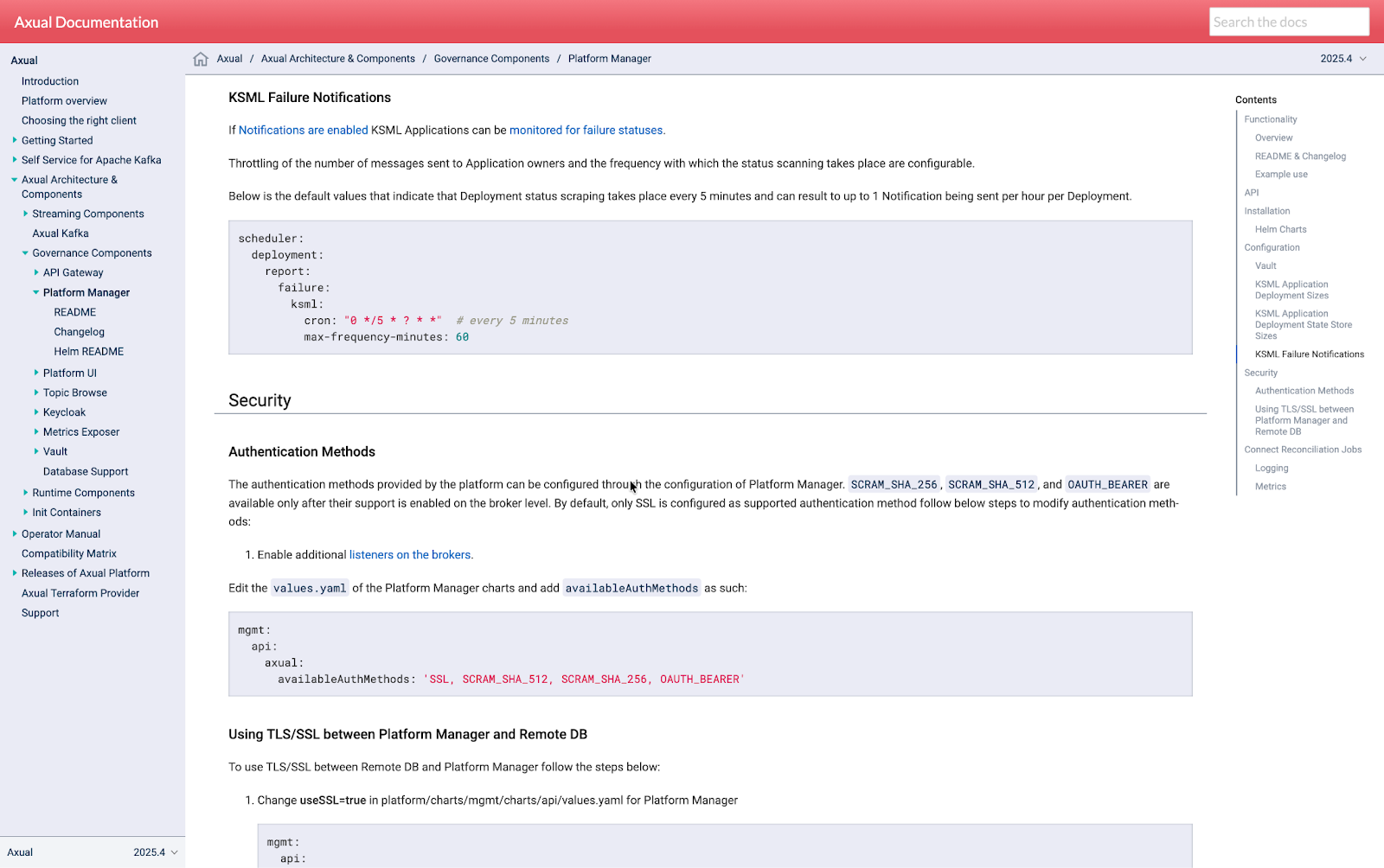
We have updated and expanded the documentation to improve clarity and coverage across key platform features. This includes updates to Auth Proxy, Distributed Tracing, inherited Kafka properties, KSML deployment failure notifications, KSML State Store sizes, pod-to-pod connections, and OAuth. The OpenAPI specification is now available for download from the public documentation, and outdated Zookeeper references have been removed.
Managing Kafka at Scale with Greater Visibility and Control
Axual 2026.1 enables teams to operate Kafka environments with improved transparency, stronger governance, and greater operational efficiency. With comprehensive audit capabilities, expanded OAuth support across all data plane components, and refined management experiences for Connectors and KSML, teams gain the control and flexibility needed to manage streaming infrastructure at scale. Enhanced insights and visualisations further simplify understanding and optimisation of platform activity.
Strengthen governance, security, and operational consistency across your streaming platform. Contact us to learn how Axual supports enterprise Kafka environments with control and reliability. Explore the full release notes, dive into the documentation, or get in touch with our team to see how these improvements can support your environment.

Answers to your questions about Axual’s All-in-one Kafka Platform
Are you curious about our All-in-one Kafka platform? Dive into our FAQs
for all the details you need, and find the answers to your burning questions.


Related blogs
Axual’s Autumn Release 2026.3 is here. You can now run multiple Kafka Connect clusters per instance for better isolation and no more noisy neighbors, and create Flink SQL applications to run stream processing jobs directly on the platform. This release also brings self-service service accounts, Strimzi v1 support in the Distributor, Terraform and MCP updates, and more.
Vulnerability reports are growing faster than security teams can process them. This article explores how AI can support vulnerability triage, why fixes take time to reach production and what the Trivy compromise taught us about software supply chain security.
.png)

Learn how to configure secure Kafka authentication in Strimzi for multi-tenant environments. This technical guide covers mTLS, certificate-chain principals, tenant-specific listeners, custom principal builders, OAuth bearer authentication, and the risks of relying on Strimzi internals.