MCP with Kafka
In this blog, we explore how the Model Context Protocol (MCP) enables AI applications to move beyond text generation and interact with systems like Kafka through structured actions. We will look at how natural language intent can be translated into real operations such as managing topics, schemas, and streaming applications, while also touching on governance, security, and the role of declarative approaches like KSML.
On this page
MCP with Kafka
Model Context Protocol, or MCP, provides a way for AI applications to interact with external systems such as Kafka. Instead of limiting AI to generating text, MCP enables it to trigger real actions through a structured interface.
This makes it possible to move from a simple prompt to concrete Kafka operations such as discovering topics, creating schemas, provisioning infrastructure, and building streaming applications.
In this blog, we explore how the Model Context Protocol (MCP) enables AI applications to move beyond text generation and interact with systems like Kafka through structured actions. We will look at how natural language intent can be translated into real operations such as managing topics, schemas, and streaming applications, while also touching on governance, security, and the role of declarative approaches like KSML.
Documentation: Explore the full Model Context Protocol guide here: MCP Docs
What is MCP?
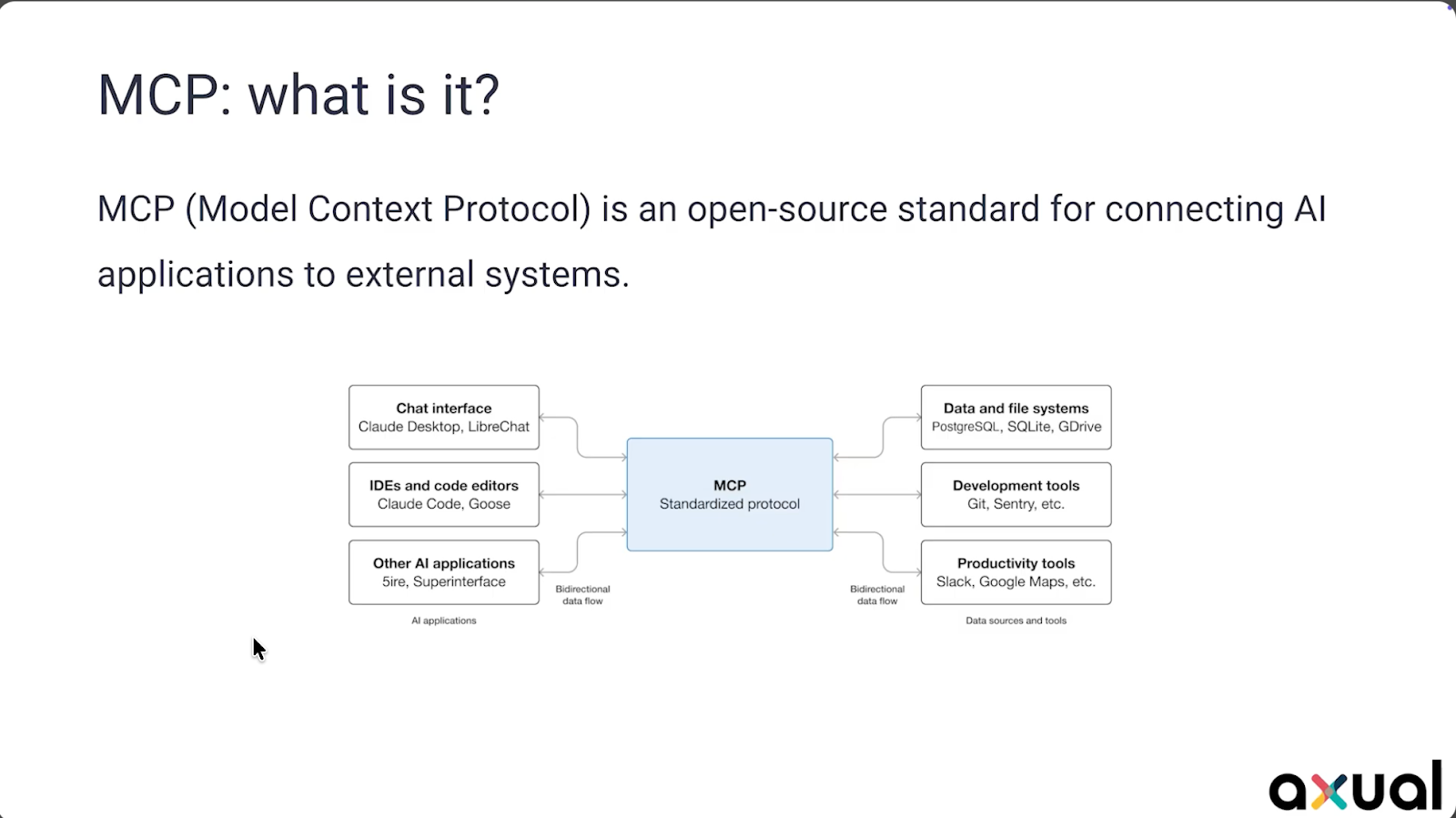
MCP is a protocol that allows AI applications to communicate with external systems.
AI applications can be programs such as Claude, Cursor, or ChatGPT. External systems can include Kafka, databases, or other services. MCP acts as the standard that connects these two sides.
At the center of MCP is tool calling. When an MCP server is connected, it exposes a set of tools. These tools represent actions that can be performed on the external system.
When a user asks a question, the model evaluates whether it can answer directly. If it cannot, it selects a tool and signals that it needs to be used. The MCP client then calls the MCP server, which interacts with the external system and returns the result. The model uses that result to generate a response.
The model itself does not directly communicate with Kafka or any external system. It produces text and indicates when a tool should be used. The MCP server is responsible for executing the actual interaction.
Brief history
The foundations for MCP go back to the introduction of transformers in 2017 through the paper Attention Is All You Need. This architecture made Large Language Models possible.
A few years later, GPT 3 demonstrated the impact of training models at large scale. With a large number of parameters and training data, it became possible to generate human-like text.
ChatGPT then made these capabilities widely accessible.
The introduction of function calling and tools APIs enabled models to interact with external systems. Since models only produce text, special signals were introduced to indicate when a tool call should be made.
As AI applications started integrating with more systems, it became clear that a standard approach was needed. MCP was introduced to provide that standard.
Governing Kafka with Axual
Kafka can be accessed directly through its APIs, but in many cases it is used alongside a platform that provides additional capabilities.
Within Axual, Kafka is accessed through an API that supports enterprise use cases such as governance, ownership, security, and developer productivity.
This includes:
- tracking topics, applications, and schemas
- managing ownership of resources
- supporting multi tenancy and multiple environments
- enforcing access policies and approval workflows
- improving developer workflows by handling deployment tasks
Different types of users interact with this API. Humans use a self service UI, machines use tools such as Terraform, and AI applications connect through MCP.
With MCP in place, Kafka operations can be performed through natural language.
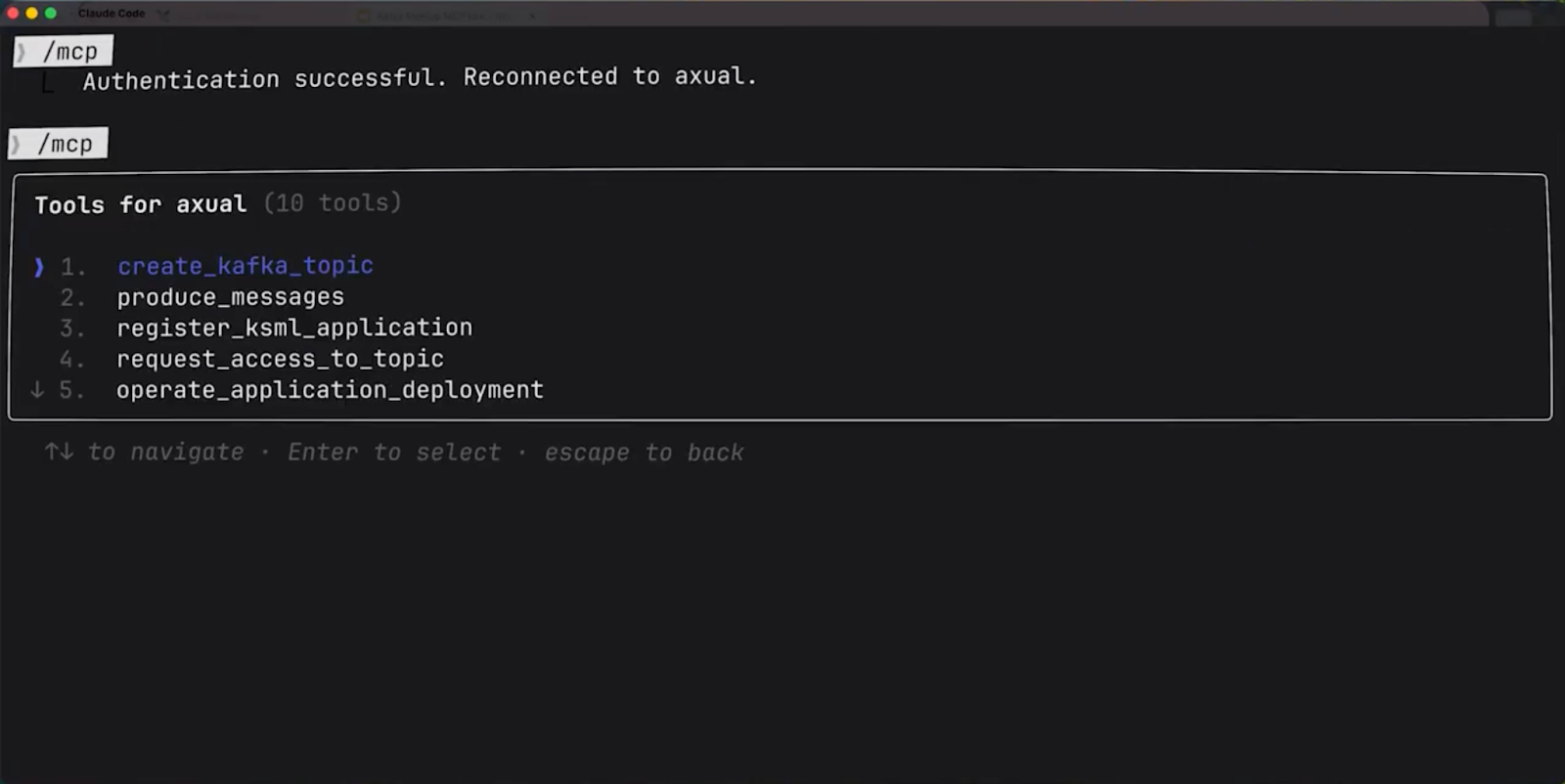
A simple example is discovering Kafka topics. The model determines that it needs to call a tool, executes the request, and returns the available topics.
Schemas can also be created and managed. When enough detail is provided, the model can generate an Avro schema directly. That schema can then be uploaded through MCP and stored in the platform under a specific version and ownership.
Once a schema is available, a Kafka topic can be created using it. The model prepares the required parameters and calls the topic creation tool. The topic is created in Kafka, and the schema is registered.
Test data can then be produced. When the model does not have enough knowledge about how to perform a task, it can use MCP resources to retrieve additional information. With that context, it can generate the correct definition and produce messages that follow the schema and contain meaningful data.
MCP security
Security is a key part of working with MCP.
MCP uses OAuth, which is widely used in enterprise environments. In this setup:
- the MCP server acts as the resource server
- the MCP client acts as the OAuth client
- an external system acts as the authorization server
The user authorizes the AI application to access the MCP server on their behalf. The MCP server validates tokens and controls access to tools.
One of the main challenges is Dynamic Client Registration, or DCR. In traditional OAuth, applications are registered in advance. In MCP, clients are not always known beforehand, which makes this approach difficult.
DCR allows clients to register themselves, but it is not widely supported by enterprise authorization servers and introduces additional concerns.
A practical approach is to use an OAuth proxy with FastMCP. In this setup, the proxy handles token exchange and maps tokens between the MCP layer and the underlying API. This allows MCP to function even when DCR is not supported.
Recent updates to the MCP specification reduced the importance of DCR in favor of Client ID Metadata Documents or CIMD.
Streaming apps with KSML
What is KSML
Kafka Streams applications typically require writing Java code, defining topologies, and managing deployment. This can be complex.
KSML provides an alternative by allowing streaming logic to be defined in YAML.
A pipeline can:
- read from a topic
- apply transformations such as filtering
- write to another topic
This definition can be deployed directly on the platform.
KSML also includes a data generator, which can be used to produce messages for testing.
The Axual MCP server uses MCP resources to give LLMs a crash course on KSML. This enables the LLMs to correctly generate valid KSML syntax for streaming pipelines and producing messages.
Streaming with KSML
A streaming use case can be defined by reading from a topic, filtering messages based on a condition, and writing the result to another topic. The model can use MCP resources to understand how to define this pipeline in KSML.
Once defined, the application can be deployed. The model determines the required access, such as consume access on the input topic and produce access on the output topic, and provisions what is needed.
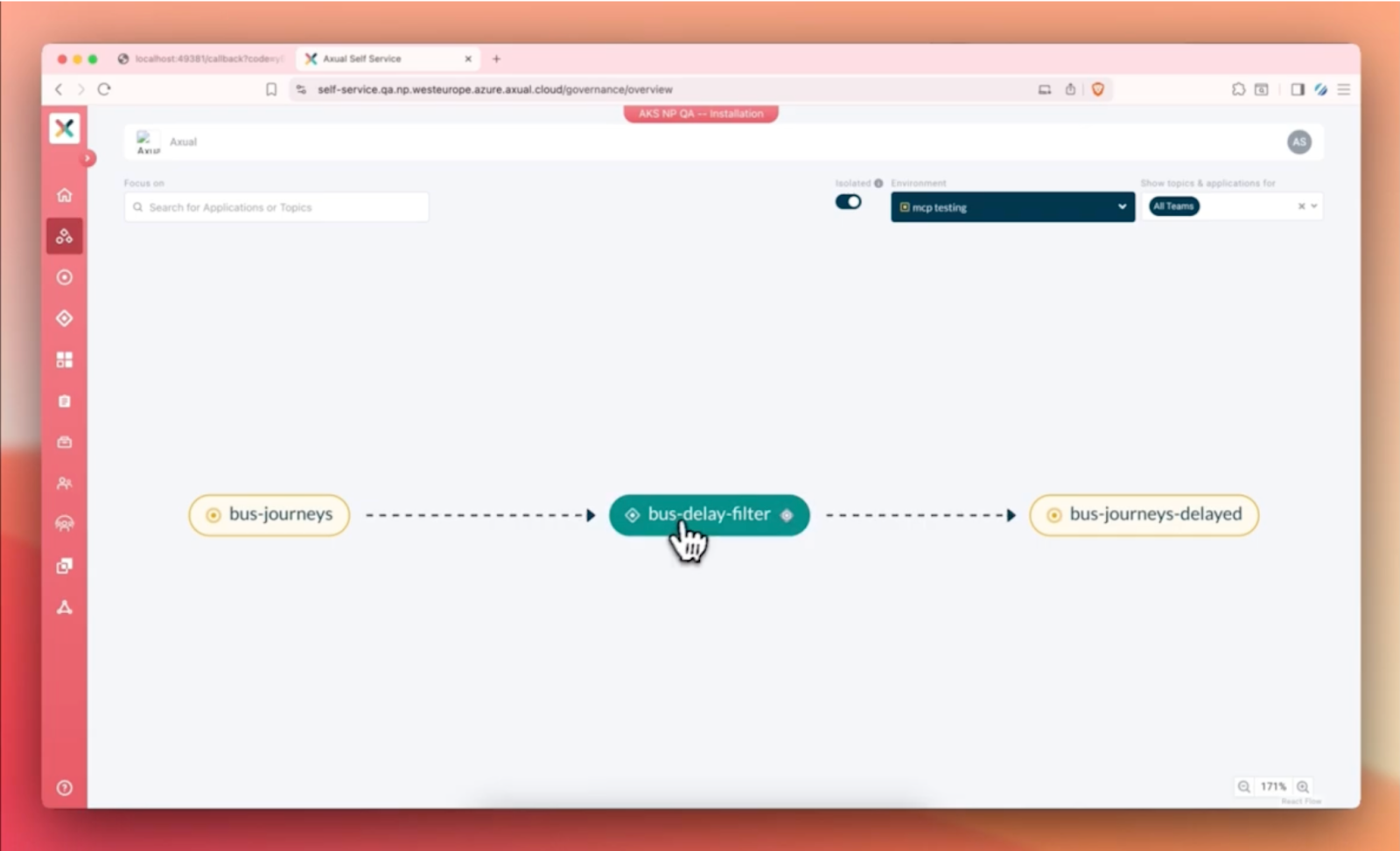
Test messages can then be generated and sent through the pipeline. The results can be verified by observing that only the expected messages appear in the output topic.
Kafka data can also be queried using natural language. The model can read messages, analyze them, and generate summaries.
Closing Thoughts - Axual MCP server
MCP enables AI applications to interact with Kafka systems through structured actions.
From discovering topics to creating schemas, provisioning resources, producing data, and building streaming applications, these tasks can be initiated through natural language and executed through MCP.
Within Axual, this is supported by a platform that provides governance, ownership, security, and developer productivity. Combined with KSML, it also enables defining and testing streaming applications more efficiently.
This connects intent to execution, making it possible to move from a prompt to working Kafka applications.
Curious how this works in practice?Let’s connect or book a demo to explore the Axual MCP Server in action.

Answers to your questions about Axual’s All-in-one Kafka Platform
Are you curious about our All-in-one Kafka platform? Dive into our FAQs
for all the details you need, and find the answers to your burning questions.


Related blogs

Axual’s Autumn Release 2026.3 is here. You can now run multiple Kafka Connect clusters per instance for better isolation and no more noisy neighbors, and create Flink SQL applications to run stream processing jobs directly on the platform. This release also brings self-service service accounts, Strimzi v1 support in the Distributor, Terraform and MCP updates, and more.
Vulnerability reports are growing faster than security teams can process them. This article explores how AI can support vulnerability triage, why fixes take time to reach production and what the Trivy compromise taught us about software supply chain security.
.png)

Learn how to configure secure Kafka authentication in Strimzi for multi-tenant environments. This technical guide covers mTLS, certificate-chain principals, tenant-specific listeners, custom principal builders, OAuth bearer authentication, and the risks of relying on Strimzi internals.